TLDR
- RBAC is important for data governance
- Keeping the RABC simple is key to success
- Getting RBAC to a simple state is hard and requires alignment from all stakeholders
- Good implementation will make it easier manage access control
- Automation can help with the implementation but don’t overkill it
- Snowflake parent child hierarchy can simplify a lot of read only access to write access.
- Pair RBAC with data masking to protect sensitive data.
- It makes using the data platform safe for both the platform engineers and the consumers of data.
What is Access Control?
Access control is a way to a way to either process access or restrict access to a resource. Think of it as an automatic security gate, if a person has the key that can open the gate then they can enter through the gate and access the location. If a person doesn’t have the key then they can’t enter through the gate and access the location, in some cases security maybe informed of this incident.
In the context of data warehouse, access control is doing the same job. If the user has the permission to access a data resource than they can have access to it otherwise the data platform will throw an error, in some cases it could also trigger a warning to the platform engineers/owner.
A person can own many keys and can have access to many gates, similarly a user can have many access privileges and can have access to many data resources.
Why Access Control is important?
Following the previous example of an automatic security gate acting as the mechanisum for access control, if there is no key required to open the gate then anymore can enter the location and access the resources. This is a security concern and can lead to loss of IP/theft/damage to the resources at the location.
With access control in place, the automatic security gate will only allow the people with the key to enter the location and limit the risk of damage to the resources at the location.
Same principle applies to data access control, if there is no access control in place then anyone can access the data resources and this can lead to data theft, loss of IP, damage to the data resources and in some cases it can also lead to data loss.
To mitigate this risk, access control is put in place to limit the access to the data resources to only the users that should have access to the data. Role back access control (RBAC) is one of the most popular access control.
How does RBAC work in Snowflake?
A “Role” is an object that has been granted set of privileges that which provides access to different data resources, along with different actions. This role object then can be assigned to one or to many users, like giving different copies of the same key to different people. Keys can be borrowed temporarily or permanently, similarly roles can be assigned to users temporarily or permanently.
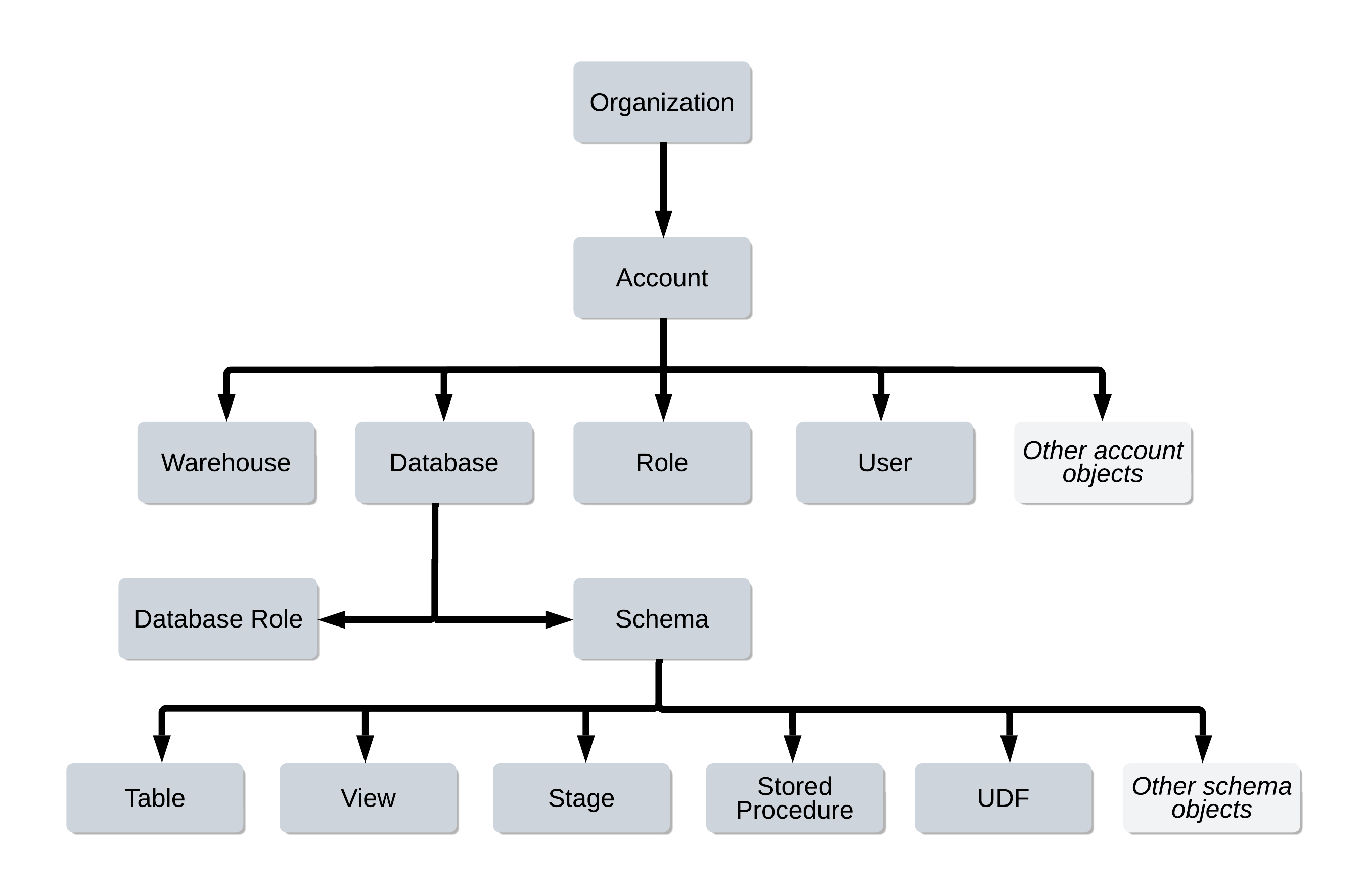
Example
This example we will just focus on the “Database” object, but the concept can be extended to deeper level objects in the hierarchy. We will use the fictional company “Dunder Mifflin” or DM as an example.
Lets say DM has the following data domains:
- Finance
- HR
- Operations
- Sales
- Customer
Kevin should only access to Finance Data Toby should only have access to HR Data. Kelly can have to both operation’s data and also customer data including PII to perform her duties. Sale’s team can have access to Leads and customer data but not the finance data.
Branch Managers can only see aggregates. Assistant to the Branch Manager can see the aggregates sale numbers but not the raw numbers.(no.2 person doesn’t need to know everything.)
RBAC Implementation
To simplify the access control we will create roles to delegate the access control responsibility of the database objects and keeping minimal number of roles to make it easier to manage. Generally having two roles per data domain is a great start for a RBAC model, one role for read only and other for write access.
Now we can assign the roles to the users based on their job responsibility.
Data Masking
There is an issue with this model so far, the users that only need to certain attributes of the data can see all the attributes of the data domain. This can lead to issues in the future. To mitigate this issue we can use data masking to limit the access to the data attributes. This can be done by creating a masking policy and assigning it to the data domain. This will limit the access to the data attributes based on the role of the user.
RBAC safety net
RBAC provides a way to stop accidental deletion or modification of the data. This can be done by creating a role that has only read access to the data domain and assigning it to the users that should only have read access to the data. This will limit the access to the data domain and prevent accidental deletion or modification of the data.
Conclusion
Don’t think of RBAC as a restictive mechanism, think of it as a way to easily distribute the access control responsibility. It makes it easier for the platform owners to delegate the access control knowing what the user will have the ability to access. Updating a single role is easier than updating multiple roles, so a domain driven approach is going to prove beneficial in the long run.